
Download Lexica Aperture – AI Image Generator, Free & Secure Tool
Overview
Lexica Aperture is a cutting‑edge, web‑based AI image generation platform that transforms plain‑text prompts into photorealistic visuals within seconds. Powered by the latest diffusion models, the service interprets natural‑language descriptions and produces high‑resolution images that rival those created by professional designers using expensive desktop software. What truly distinguishes Lexica Aperture is its zero‑install, browser‑only architecture: there are no heavyweight downloads, no GPU requirements, and the basic tier is completely free.
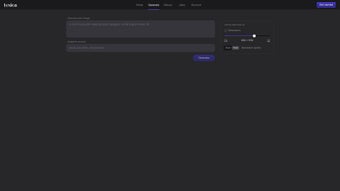
Users simply open a modern browser, type a prompt such as “A futuristic cityscape at dusk, neon lights, ultra‑realistic,” and click “Generate.” The AI then synthesises a unique picture, leveraging cloud‑based compute resources that handle the heavy lifting for you. In addition to the standard prompt field, Lexica Aperture introduces a “Negative Prompt” option, allowing creators to explicitly exclude unwanted elements—think “no watermarks,” “no red tones,” or “exclude people.” This feature dramatically improves relevance and reduces the need for post‑processing. The platform also offers adjustable generation speeds: a rapid preview mode for brainstorming sessions and a high‑detail mode for final assets, each balancing latency and image fidelity.
Navigation is intuitive, with clearly labelled sections such as Home, Generate, History, Likes, and Account, making the workflow seamless for beginners while still offering depth for seasoned artists. Whether you are a marketer seeking quick mock‑ups, a writer in need of cover art, a game developer prototyping concepts, or simply a hobbyist exploring visual storytelling, Lexica Aperture provides a secure, free‑to‑start solution that scales with your creative ambitions. The service’s commitment to privacy—encrypted storage of prompts and images—adds an extra layer of confidence for users concerned about data security.
Key Features & Capabilities
- Natural‑Language Prompt Engine: Convert detailed text descriptions into photorealistic images in under a minute.
- Negative Prompt Support: Exclude unwanted objects, colors, or styles to fine‑tune output.
- Adjustable Generation Speed: Choose between fast preview mode and high‑detail mode for final renders.
- History & Likes: Automatically saves every generated image; users can like and revisit favorites.
- Account Sync: Secure login lets you access your library across devices and browsers.
- Export Options: Download images in PNG or JPEG, with selectable resolution up to 2048 × 2048 px.
- Community Gallery: Browse creations from other users for inspiration and style references.
- Zero‑Installation Web App: Runs entirely in modern browsers, compatible with Windows, macOS, Linux, Android, and iOS.
- Secure Data Handling: Prompts and generated images are stored encrypted; privacy‑focused policies prevent unauthorized sharing.
Each feature has been engineered to keep the creation loop tight and efficient. The Negative Prompt system works by subtracting undesired latent vectors from the diffusion process, a technique that dramatically reduces the need for manual editing after generation. The adjustable speed leverages a tiered sampling schedule: the fast mode uses fewer diffusion steps, while the high‑detail mode doubles the steps for smoother gradients and richer textures.
Users also benefit from the built‑in gallery, which not only showcases community talent but also serves as a searchable database of prompt‑image pairs, making it easier to replicate successful styles. Moreover, the platform’s encryption ensures that both your prompts and generated assets remain private, complying with GDPR and other international data‑protection standards. Overall, Lexica Aperture balances raw computational power with an intuitive, user‑friendly design, allowing anyone—from novices to professionals—to generate studio‑grade visuals without a steep learning curve.
Installation, Compatibility, Pros & Cons
Because Lexica Aperture is a cloud‑native service, the installation process is reduced to a few simple steps. First, open any modern browser (Chrome, Edge, Firefox, Safari) on a desktop, laptop, tablet, or smartphone. Navigate to the official website lexica.ai/aperture. If you already have an account, click “Login” and enter your credentials; otherwise, select “Create Account” and follow the on‑screen form—email verification is required for security. Once logged in, you land on the Home dashboard, which provides quick access to the Generate pane, your History, and liked images.
To start creating, click the “Generate” tab. In the prompt box, type a clear, descriptive sentence such as “A sunrise over a misty mountain range, cinematic lighting, ultra‑realistic.” Beneath the main prompt, you’ll find the “Negative Prompt” field—use it to block elements like “no people” or “exclude text.” Next, choose your generation speed: “Fast (≈5 s)” or “High‑Quality (≈20 s).” Press the “Create” button, and the AI begins processing. When the image appears, you can zoom, toggle a side‑by‑side comparison with the original prompt, and decide whether to download, like, or add it to a custom collection.
Lexica Aperture operates fully in the browser, making it compatible with virtually every operating system that supports modern web standards: Windows 10/11, macOS Ventura and later, Linux distributions with recent Chromium‑based browsers, Android 8.0+ and iOS 13+. No additional plugins or runtimes are required, and the service automatically scales to the device’s screen resolution, ensuring a consistent experience whether you are on a high‑end workstation or a low‑spec smartphone.
Pros
- Completely web‑based – no downloads or GPU requirements.
- High‑quality photorealistic results from simple text prompts.
- Negative Prompt feature offers precise control over unwanted elements.
- Free tier available with generous generation limits.
- Cross‑platform compatibility ensures accessibility on any device.
- Secure account handling with encrypted storage of prompts and images.
Cons
- Free tier imposes a daily generation cap; heavy users may need a paid plan.
- Image resolution is limited to 2048 × 2048 px in the free version.
- Dependent on internet connectivity – offline generation isn’t possible.
- Advanced fine‑tuning (e.g., custom model training) is not offered.
- Occasional latency spikes during peak usage hours.
FAQ & Conclusion
Below you will find answers to the most common questions about Lexica Aperture, followed by a brief summary of why this tool stands out in the crowded AI‑image market. Whether you are just curious or ready to dive in, the information here should help you make an informed decision.
Is Lexica Aperture really free to use?
Yes, Lexica Aperture offers a free tier that allows a limited number of image generations per day. For users who need higher limits or premium features, paid subscription plans are available.
Do I need a powerful computer to generate images?
No. All heavy processing happens on Lexica’s cloud servers. A stable internet connection and a modern browser are the only requirements.
Can I control the style or mood of the generated picture?
Absolutely. By describing the desired style (“cinematic lighting,” “oil painting,” “vibrant colors”) within the prompt, the AI adjusts its output accordingly. The Negative Prompt field also helps remove unwanted styles.
Is my data safe when I use Lexica Aperture?
Lexica employs SSL encryption for all traffic and stores prompts and images in an encrypted database. Privacy policies state that user data is not shared with third parties without consent.
Can I export images in different formats or resolutions?
Yes. After generation, you can download the image as PNG or JPEG. The free plan caps resolution at 2048 × 2048 px, while premium plans unlock larger sizes.
How does the Negative Prompt feature work technically?
The system subtracts latent vectors representing unwanted concepts from the diffusion process, effectively steering the model away from those elements while preserving the core content of the prompt.
Lexica Aperture proves that cutting‑edge AI image synthesis can be both accessible and powerful. Its browser‑only architecture removes traditional barriers such as hardware constraints, while the combination of natural‑language prompts, Negative Prompt control, and multiple speed settings gives creators a surprisingly granular level of influence over the final picture. The free tier is generous enough for casual users, and the premium options scale smoothly for professionals needing higher limits or larger resolutions. Although offline generation and deep custom model training are not currently supported, the existing feature set already rivals many desktop‑only tools. If you’re looking for a fast, secure, and cost‑effective way to generate photorealistic visuals, Lexica Aperture is a compelling choice.
Ready to transform your ideas into stunning images? Click here to start generating with Lexica Aperture today—the fastest, most secure AI image tool available on the web.
Pros: Free tier, web‑only, high‑quality output, Negative Prompt, cross‑platform.
Cons: Daily cap on free usage, limited max resolution, no offline mode.



.png)



